Showing posts with label mobile. Show all posts

APP Lock Do Mobile lab

Saturday, December 31, 2016


Protect your installed applications using a password or pattern! 
APPLock, Easy and Strong application lock tool !
APPLock will protect your installed applications using a password or pattern!
Features:
* Protect installed apps using password or pattern
* Startup protect service / stop proctect service


Read More..

Mobile Tracker for Android Baskar pc

Tuesday, November 8, 2016


Android Mobile can be Tracked after it get lost.

When the Android phone get stolen/lost and When the new

 SIM card is inserted in the mobile, this app begins and 

automatically sends SMS from the SIM which is inserted.

You have to store your family/friends mobile numbers in the 

app and the SMS can be sent to those mobile numbers.

The SMS contains the IMEI number of the mobile and service 

provider details of the SIM.

The security enhanced by prompting password to open the 

application.


Read More..

avast! Free Mobile Security

Monday, September 12, 2016


Remote cell phone tracker/locator and malware protection.

MAIN FEATURES
• Antivirus: Scans installed apps and memory card content on demand and new apps upon first use.
• Privacy Report: Scans and displays access rights and intents of installed apps.
• Anti-Theft (hidden component): Gives you remote control via SMS or Web (cell phone tracking, activate siren, memory wipe, etc.).
• Network Meter: Measures incoming/outgoing data transfers.
• Web Shield: Scans each URL that loads and warns you if it’s malware-infected. Includes USSD blocker.
• Widget: Gives you control of the app from your Android desktop.
• Web Interface: Provides remote control of anti-theft features (cell phone lock, GPS tracking, memory wipe, etc.).
• SiteCorrect: Automatically fixes mistyped URLs.
• Shield Control: Advanced settings for app, web, and messages scanning.
• UI Design: Great readability on Android cell phones and tablets.
• SMS/Call Filtering: Filters out particular contacts that you select.
• App Manager: Lists apps and their sizes (MB), CPU load, memory used, etc.
• Battery Save: Runs only when performing tasks.
• Firewall (works on rooted phones only): Serves as gatekeeper for network 
traffic.


Read More..

Advanced Mobile Care

Monday, April 25, 2016


Advanced Mobile Care is an all-in-one Android security and performance optimization app that performs real-time virus scans while also featuring a brand new Anti-theft, powerful Game Speeder, Battery Saver, Call Blocker, App Manager, Task Killer, Privacy Locker, Privacy Advisor and Cloud Backup.
Advanced Mobile Care is a veritable Swiss Army knife for Android tuning up. It gives Android users an excellent way to protect their smartphones from Android security and performance problems. Download for FREE and get the most out of your Android device!


Read More..

NQ Mobile Security For Android Download APK

Friday, April 1, 2016

NQ Mobile Security Download APK


Software Information :

File Name:       NQ Mobile Security.apk
File Size:      2.91 MB
Requires Android:      2.1 and up
Language:      English
License:      Freeware


Download APK

 NQ Mobile Security


Read More..

Dark Stories Midnight Horror Android Mobile Game Free Download

Thursday, May 7, 2015

This game depends upon very detective and investigates dark stories. This is a Midnight Dark Horror Story game. You afraid when you played this game. This game contains 100 Doors and 100 developers of Doors. Both are parallel worlds to understand this. You can not make most friends because your popularity increased in his police station and probably never won. Gregory has a gift due to its all which is always connected with world of supernatural and he can see every hidden and shows things. He solves any cases as for a cup of tea.


QR Code

Click the image below to download Dark Stories Midnight Horror free android mobile game.


Read More..

Mobile PC Newsletter September

Saturday, January 17, 2015

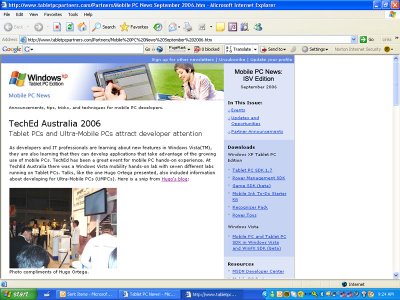
The latest Edition of Redmonds Mobile PC Newsletter is up - September Edition. This time with TechEd Australia 2006 as the feature piece:


They actually used a photo of me - I requested they use the one of Frank Arrigo

Read More..

What Tablet PCs Mean to Mobile Providers

Friday, January 16, 2015


For the better part of a decade, mobile phone carriers have made money by enticing users into long term contracts in exchange for subsidized pricing on cutting edge technology. At first it was all mobile phones, then smart phones, and in recent years the burgeoning netbook computer market.

So, it’s no surprise that many mobile carriers are concerned about the recent trend in computing – with iPad sales having a direct impact on netbooks, devices that are traditional sold as a third or even fourth computing option.

If it wasn’t so frustrating to see the tablet space completely dominated by the iPad (for now), it might be amusing to see the flip flopping done by netbook manufacturers like MSI and Acer, who at first were okay with the growth in the tablet market, but now are seeing it affect demand for their products.

Just yesterday, reports surfaced that Acer is concerned about the telecom demand for Tablet PCs. In the last two years especially, netbooks have been a primary way of selling the MiFi and mobile Internet packages which can equal or even exceed the monthly fees charged for just telephone service. Those fees represented the largest single growth opportunity for the telecoms.

But, the iPad has cut into that tremendously. We may never know how much the iPad has actually cannibalized those sales (estimates range from the extreme of Best Buy CEO Brian Dunn claiming 50% of netbook/notebook sales were being devoured, to more reasonable estimates of 15% from industry research groups), but we do know that the rush is on to tap into that market and no industry has a more vested interest than the telecoms who are intent on offering Internet access for mobile devices with their 3G and recently developed 4G/WiMax networks.

What’s interesting in all this is the fact that, in truth, there are not that many devices yet on the platter for telecom release. The Samsung Galaxy Tab is finally hitting store shelves in a few weeks, and Acer plans to have  their Tablet PC available by the end of November, but even Acer is foregoing Android in its first batch in favour Windows– not a bad trade off, but not the ideal solution for consumer devices either.

Right now, I think anything that helps spread tablet computing into the mass market is a good thing, provided that the devices being produced are not rushed just to meet telecom demand. I’m not insinuating that Acer’s first tablet outing will be a poor one, but it feels like they’re a little late out of the gate and I hope it doesn’t sour consumes on the potential of more powerful tablet PCs.

There is room for growth throughout the tablet market, and while there is some room to worry that Apple will continue to dominate the fledgling market, cooler heads and more powerful devices will hopefully prevail – telecom companies will get their contracts and users will have their mobile devices. The question now is how ill provide them.

Read More..

Take a cordless drill to your Mobile PC

Thursday, January 15, 2015

The Drill!
(so my SMA adapter fits in!)

Today was a bit of fun and again I wanted to make sure you were all a part of it. If there is one device I have a lot of experience with that is the Samsung Q1U; and if there are three things I really like upgrading on this machine they are as follows: 

  1. Upgrade the RAM to 2GB (its DDR2 SO-Dimm, 667MHz)

  2. Install a mini PCI-express 3G modem (for HSDPA and GPS function)

  3. Replace the spinning IDE drive with a SSD drive instead!
Given I was uprgading all three in one machine I thought Id share a photo or two. I know one of the most popular videos I did was "How to upgrade your Samsung Q1U to 2GB RAM" so I imagine this blog post will entice many DIY geeks out there. 

Installing the RAM is easy and the SSD a piece of cake too (just watch the orientation of the pins on the ribbon cable and be very gentle with the latches holding the ribbon cables in place). The SSD I used is GMonster 1.8" ZIF drive with built-in 64MB SDRAM by PhotoFast! It is super fast and one I recommend highly. The Modem I am using lately is the Huawei EM770W (but often I use the Sierra Wireless MC8790 too). The Huawei is the same one found in most Viliv S5 and X70 and has voice support (!!!), quad band 3G and GPS.

One important and still relatively unknown step is how to get best connectivity out of a newly installed modem (especially a hacked up version like this). I had to go through many antenna, and many setups to get this right but I can report that this way works well! All you need is a U.FL to SMA adapter (U.FL = little dicky bit which connects to modem main) and (SMA = the gold threaded part which the antenna screws onto). Youll soon learn however that the SMA part does not fit into most holes on a computer...thats where the Power Drill comes into play!!!

The external antenna I choose is a high band passive antenna which supports Quad Band and is absolutely the trick! Sticks out a little but man is it worth it when you get full strength most anywhere a phone does! 


U.FL to SMA adapter and external 3G antenna


RAM upgraded, 128GB SSD drive and Huawei EM770W modem


Doing this stuff makes me realise how "un-fun" the iPad will be. With all its finished bits there is nothing left for us to explore or expand on! Well done Apple.
Read More..

Sydney Windows Mobile User Group Tablet talk

8th February 2006

As I drove into the carpark of Microsoft Head Quarters, Australia, I felt a certain sense of reassurance. Knowing that this wasn’t my first time, and knowing that familiar faces were abreast of the sliding glass doors, I was calm. With my wife following in stride and Dr. Neil racing in front I was able to enjoy the process a lot more than my initial visit (fun, but more like a dream).

Ah! A familiar face. I encounter Microsoft IT Pro Evangelist Jeff Alexander; a face that greets me with anticipation and warmth , a face of friendship. He meets my wife and we catch up on some topics of interest, i.e. his renovations at home, and his freshly posted Windows Server 2003 R2 Upgrade Blogcast. As we stir amongst the corridor of the Microsoft Hall our Uber Electric host for the evening, IT Consultant Roger Lawrence, clutches Jeff Alexander’s Platinum AMEX to pay for the Sydney Windows Mobile User Group’s (SWMUG) pizza’s.

Roger has banded together a group of the most nose bleed geeks you’ll ever meet – my sort of Uber Geeks. These guys aren’t the industry nay sayers, they’re the guys at the bleeding edge of technology. 50% of the room were Tablet PC owners and all bear Windows Mobile devices as their phones or PDA’s of choice. Roger is a seeker of the truth and hosts the event with results in mind. Hes captivating and demands the best from his congress.

SWMUG only know of one language – TECH!

Also in the room was SWMUG Executive Committee member, and Illustrator, Jon Harsem. If you’re ever graced with his presence you’ll find him amusing, entertaining and forever wanting your tablet to cartoon on. I was lucky enough to keep one of his toons on my Slate.



We banter about for a few minutes until our umpire, Roger Lawrence, yells "time". I’m called up first to do my thing. Once again I take the podium to talk Tablet PC in Australia. On this particular evening I share news of the Sahara Slate PC, and exhibit the Xploretech ruggedized Tablet too. Knowing that I’m dealing with a group of early adopters I passionately present my case. You see, in this environment I’m allowed to say things like: “it’s the consumer’s fault that Tablet PC has had a slow uptake”, and, “resellers aren’t focused on Tablet because Microsoft isn’t focused on Tablet”. I’m amongst advocates that hear what I’m saying.

To show the power of Tablet PC I run a little video on using the Microsoft Snipping Tool (part of the Microsoft Tablet PC Experience Pack). The video is a short demonstration conducted by Uber Geek, and my son, 4 year old Leon.
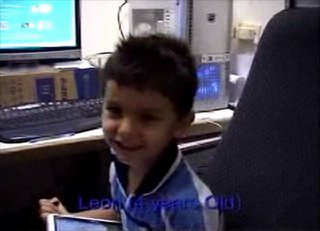
Leon Ortega teaches Snipping Tool

Download - Windows Media Player File! [12MB]

Download - Quicktime File! [10MB]

I finish the presentation with question time, of which there are many. “Why is Tablet PC subject to such a premium in price when compared to normal notebooks?” Proclaims one onlooker. “Why would someone buy a Slate over a Convertible?” Asks another. We delve into the mystery that is Tablet PC sales and inch-by-inch realise that our divided little group still struggles, as does the everyday consumer, to make sense of the slow uptake. Once again I am reminded that my role as Tablet PC distributor and self taught Tablet PC evangelist has only just begun.

The room carries a Luke Skywalker type of energy about it. Theres a sense of focus and commitment to the Windows Mobile movement that would be hard to find anywhere else on the planet. I find talking amongst the clan during pizza time is a novel experience.

As I pack up my plethora of Tablet and head to the door I find myself being waved good-bye by many an adoring geek. Is it the artillery of Tablet that I bolster, or the passion I display? Either way there is one thing I know – the attendees this evening all went away talking Tablet!

I can sleep well tonight…
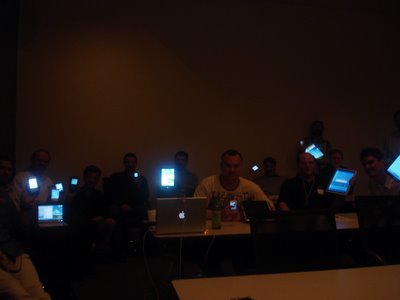
Oh yeh, heres a picture of our gathering, as only SWMUG members know how - cool isnt it? (Thats me on the far right and Dr. Neil up against the wall).


  • Have you met the SWMUG?
  • What do you want to say about Slate vs. Convertible?

Read More..

Mobile PC News October Edition

Wednesday, January 14, 2015


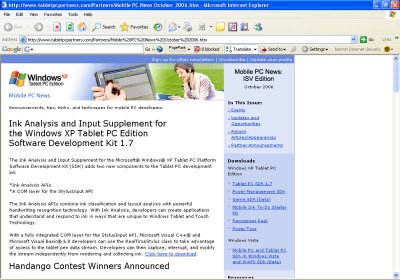
The latest edition of Mobile PC News (from Redmond’s Mobile PC Team) is now live. For those of you already subscribed make sure you take a minute and read the latest from the Tablet space; for those of you not subscribed follow this link and get it done – it can prove to be clever networking tool!

A link I liked from this months newsletter was pointing to: Windows Vista mobility features. This site is dedicated to developers looking for the platform and components to build great mobile PC applications.
Read More..

� Nokia E6 mobile phone best review

Saturday, January 10, 2015

Nokia introduces a new device dedicated solely to business, full-featured from every point of view. This is the Nokia E6, which includes a receiver for GSM and UMTS Quadband Dual ensure they can cover just about anywhere. You can also receive and send data using the fast HSDPA modem. A phone of this quality of course supports Wi-Fi to take advantage of distributed networks. Also present in the latest version Bluetooth 3.0 and USB connection.


Nokia E6 Design and equipment

It has a professional design thanks to the slim and elegant with smooth edges for safety and comfort in the socket. The size should be normal, to ensure portability without compromise. The front features the screen, a TFT display with VGA resolution, capable of displaying up to 16 million colors. Just below a comfortable QWERTY keyboard is ideal for managing even the most demanding posts. The comfortable directional pad is helpful in the management of all content, thanks to the special function keys.

Nokia E6 Main functions

The predisposition to multimedia content is high, this is obviously instant messaging, you can manage Facebook and other social networks, YouTube and much more. The predictive text much easier typeset to have under control also e-mail. Obviously these media for office documents and PDF. To call the look you can count on speakerphone, voice recorder and video. Everything you need in an efficient instrument of this level.


Nokia E6 Multimedia

The Nokia E6 has an amazing camera with a resolution of 8 megapixels. The lens gives perfect pictures in all conditions, thanks to the dual LED flash and dedicated functions like Face Detection. The memory of 8 GB available is always good to have audio and video files with them in quantity, with the possibility of using a microSD up to 32 GB. Not to mention the media player with built-in tuner AM / FM radio. Also present was the GPS receiver, satellite capabilities to integrate the device.


Overall rating

One medium-high end smartphones excellent, though perhaps few defects Nokia should start investing on devices with Windows Phone 7

Rating: 8


Nokia E6 video review


Compare prices of Nokia E6 on Bestproductsreview.net
Click here to check all offers for Nokia E6
Click here to check price of other Nokia mobile phone
Click here to check the price of all mobile phones
Read More..

How to make a app Create Mobile Applications

Thursday, January 8, 2015

how to make a app

How to make a app ? ? There have been many people who are good at making application for the computer NORMAL . But do you know why the manufacturer / developer of mobile applications in Indonesia is very low . This is due to the lack of information about the compiler used to create mobile applications and other vital information that " may " intentionally concealed pocket for application developers that are always thick . 


A small application could even generate very much money at all . Small example app game Angry Bird is very popular , but if we consider that only simple applications only. Why be so popular ? yes I myself do not know what the cause might be the fate of the author again hockey is not clear from the more straight to the point, how to make a app?

How to make app?

How to make a app, On this short article I will explain how the procedure to make a java based mobile application . Programs needed : JDK ( Java Development Kit ) , version is up . Netbeans IDE , version is up. Netbeans Mobility Pack , version is up ( usually should be the same as the version of Netbeans IDE ) If you ve got three programs just install . When finished just open the program and create a new project Netbeans , propertiesnya adjust itself as the place where the project is saved , using MIDP 1.0 or MIDP 2.0 and so forth . This election is very important because not all mobile phones support MIDP 2.0 and so forth . Once it can directly start programming , because programming language JAVA language used I m sure a lot of people who are less familiar will definitely trouble , please find yourself on the internet references, how to make a app.

While I think its an easy visual once very similar to Visual Basic so most likely we will have no trouble using his visual version . Once finished we can simply try to make the application can run or build . If we can run first check whether there are errors that may occur , as there is no new error we select build . There will be 2 files created the file AplikasiKita.jad AplikasiKita.jar and this is what we need to send the phone to us and then we install. Its all about how to make a app.

Read More..

Jimdo Launches App Builder and Editing Through Mobile Website

app builder
App builder, Jimdo is a company based inHamburg offers easy to use tools to build awebsite. Jimdo-powered sites can also be seen in a mobile-optimized layout, and earlier this year the company announced inexpress format, where the business can be made to highlight their mostimportant information.

Jimdo Wednesday launchedits an iOSapp builder, as reported by the TechChrunch. The applicationcan make users tocreate a website from scratch, adding new content, update existing websitesyag, add or delete pages, see how the site will appear on thedesktop as well as mobile and can see the statistics, said Christian Springhub, co-founder Jimbo.

Springhub said that the team members have put a lot of effortto simplify the display. He also added that they basically cancel the initial version of the app builder, because one thinks about theweb on the internet, while the versionscomes from understanding to launch mobile phoneor tablet andhow to use the touchdisplay.

But is this something that people really need this app builder?

Springhub said even without the app builder, Jimdooften see userslogin from theirtablet, and they noted that they may be able to edit the website via your mobile phone or tablet and then improve onceagain for those returning to their desks.

Jimdo is not the only company in this marketYag think itsimportant that mobileediting. Examples Weebly is launchingearlier this year. If you Android users, Springhub saysJimdo will soon be building a similar app builder.
Read More..

Concur mobile app Android Apps for Freelancers

Wednesday, January 7, 2015


Concur mobile app, Already familiar with one definite new trend martial world of smart phones this one? Denied or not, is accepted or not, Android has managed to virus infecting the human world since the launch of the first Android in 2007.
In Indonesia alone, Android tub top celebrities that span the entire circle and started to become a trending topic about a year ago, since the FroYo version out * but that to the experts anyway Im sure Android has become the daily diet, although not yet a trend in Indonesia
Concur mobile app, For freelancers themselves, Android so one super tool to help us work on the project. Is enough scattered ciamik applications that we can use in Android


concur mobile app


 concur mobile app

This application could be a helper to save you from the costs that the insured should not be in the project either. Concur to help you at any time and anywhere to keep a business can be set up and running again even though you are traveling far. With concur, you can minimize costs but significantly underestimated the cost of print-out kind of travel tickets, even with concur mobile app, you can exchange the expense report with your partner wherever you are.
Concur - Travel , Receipts , Expense Reports - Keep track of your spending and stay productive on the go . Large and small companies can easily track and manage business travel expense reports anytime - from anywhere - to Agree .

* This is a companion solution for existing users Agree *

Extend the benefits of business travel and expense reporting solution Agree to iPhone / iPad / iPod Touch while youre on the go !
Simply download now and make your mobile PIN to enjoy all functions related to the Agreed solutions you already use .
Concur mobile app, Agree with mobile applications that , say goodbye to lugging paper receipts .
No more struggling to remember how much you paid for the taxi fare . Now , all revenue and expense charges collected and ready to report expenses when you get home .

Manage and track business expenses and receipts

* Import data from credit cards
* Photograph acceptance
* Keep track of receipts using our Receipt Store
* Approve expense reports
* Submit expense reports
* Detailing the cost of hotel
* Add the event and meeting attendees

Manage and track business travel

* Book flights, hotels and more
* Manage trip flight , hotel and meals
* Check the status of flights
* Integrates with TripIt and TripIt Pro

Read More..